React Data Grid Checklist: How to Test Locking, Pivoting, Export, and Server-Side Data
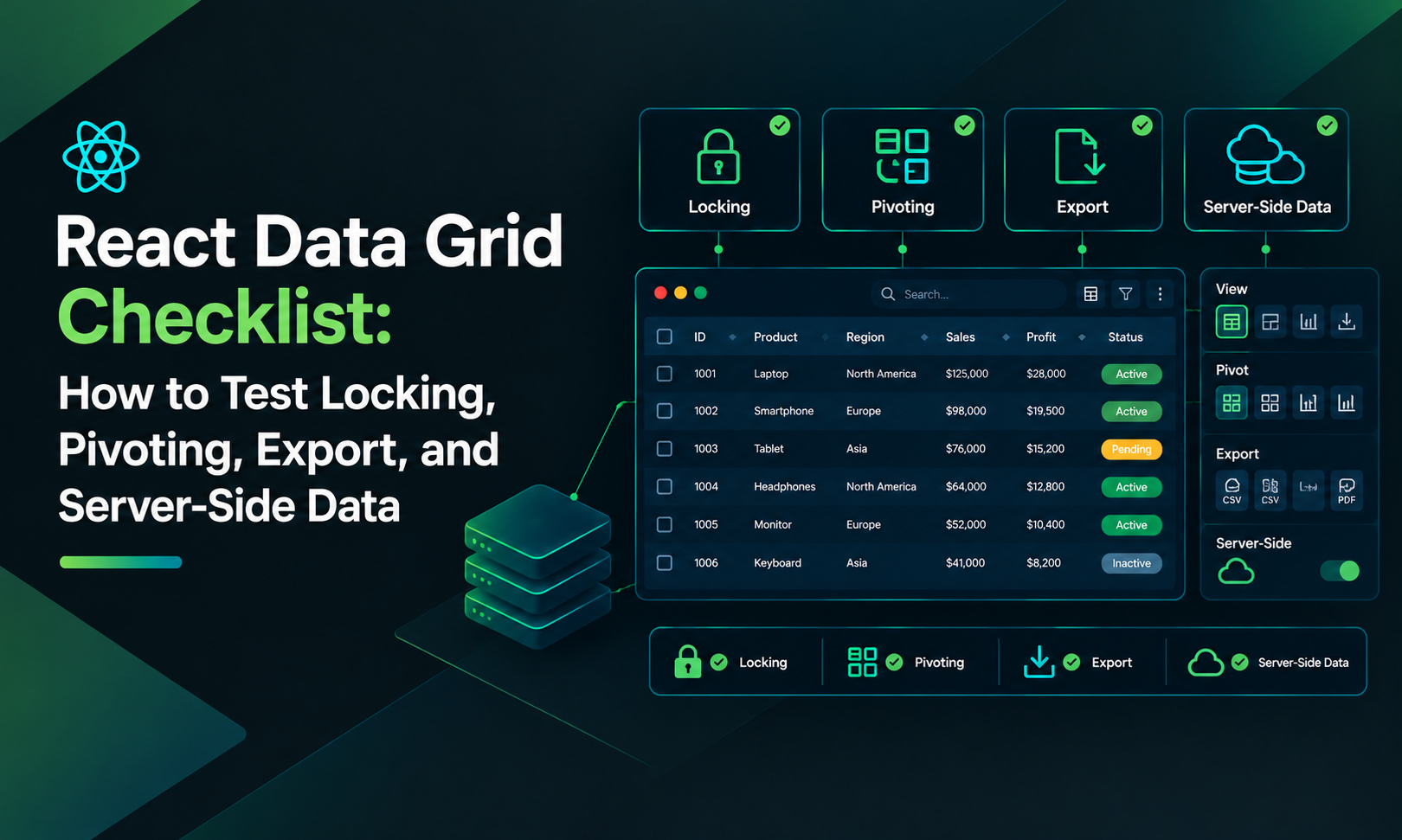
React Data Grid Enterpriserprise often requires more from a data grid than displaying rows and sorting columns. Once real users begin working with large datasets, the grid may need locked columns, pivot tables, Excel export, and remote data operations. This guide provides a practical checklist for evaluating those features and explains how ReExt can expose Ext JS grid functionality inside React.
- Column Locking: Column locking keeps selected columns visible while the grid scrolls horizontally. It's useful for order IDs, customer names, account numbers, and other fields that users need to reference continuously. Test the following: Lock and unlock columns. Keep locked and scrolling rows aligned. Verify keyboard navigation and inline editing. Combine locking with grouping and summaries. Save and restore user layout preferences if required. ReExt Coding Style: Locking Columns. ReExt uses an Ext JS component configuration through React props. Set locked: true on the relevant columns and enable column locking on the grid. import ReExt from "@sencha/reext";
function OrdersGrid({ orders }) { return ( <ReExt xtype="grid" style={{ height: 420 }} config={{ enableLocking: true, store: { data: orders }, columns: [ { text: "Order ID", dataIndex: "id", locked: true, width: 100 }, { text: "Customer", dataIndex: "customer", locked: true, width: 180 }, { text: "Status", dataIndex: "status", width: 120 } ] }} /> ); } This example illustrates the grid configuration; the project must also configure the appropriate ReExt provider, Ext JS resources, and license.
2. Pivoting and Aggregation: Pivoting converts a collection of records into a summary organized by dimensions and measures.
For example, sales could be summarized by region and quarter, with revenue totals and order counts. Check support for: Row and column dimensions. User-controlled dimension rearrangement. Sum, count, average, minimum, and maximum. Nested groups, subtotals, and grand totals. Exporting pivot results. Server-side aggregation where browser processing is too expensive. ReExt Coding Style: Pivot Grid. ReExt exposes the Ext JS pivot grid through xtype="pivotgrid". The pivot configuration describes the dimensions and aggregations. import ReExt from "@sencha/reext";
function
SalesPivot({ sales }) { return ( <ReExt xtype="pivotgrid" style={{ height: 420 }} config={{ store: { data: sales }, plugins: [ { ptype: "pivotconfigurator" }, { ptype: "pivotexporter" } ], matrix: { leftAxis: [ { dataIndex: "region", header: "Region" } ], topAxis: [ { dataIndex: "quarter", header: "Quarter" } ], aggregate: [ { dataIndex: "revenue", aggregator: "sum", header: "Revenue" } ] } }} /> ); }
Pivoting, the configurator, and pivot export require the appropriate Ext JS Enterprise setup. Check package availability and supported configuration for your installed version.
3. Excel and CSV Export: Export functionality should be tested for correctness as well as speed. Confirm that: Numbers and dates retain their data types. Currency formatting is preserved. Group and summary rows behave as expected. Sorting, filters, and hidden columns are handled correctly. Large exports don't freeze the browser. ReExt Coding Style: Exporting a Grid The grid exporter can be accessed from a React button through the grid instance returned by ready. import { useRef } from "react"; import ReExt from "@sencha/reext";
export default function ExportGrid({ orders }) { const gridRef = useRef(null);
return ( <> <ReExt xtype="grid" style={{ height: 420 }} ready={(cmp) => { gridRef.current = cmp; }} config={{ store: { data: orders }, plugins: [ { ptype: "gridexporter" } ], columns: [ { text: "Customer", dataIndex: "customer", flex: 1 }, { text: "Amount", dataIndex: "amount", xtype: "numbercolumn", format: "$0,000.00", exportStyle: { format: "Currency" } } ] }} />
  <button
    onClick={() =>
      gridRef.current?.saveDocumentAs({
        type: "excel07",
        fileName: "orders.xlsx"
      })
    }
  >
    Export Excel
  </button>
</>
); } This is an illustrative example.
The Enterprise exporter package must be enabled, and the project needs the correct ReExt setup. For full-dataset exports with server-side pagination, a backend export endpoint may be more appropriate. 4. Server-Side Data and Buffered Loading. Server-side data operations are useful when the browser should not download or process the entire dataset. A grid should support remote sorting and filtering, pagination, accurate record counts, visible loading states, and clear error handling. A simplified ReExt store configuration looks like this: const storeConfig = { pageSize: 100, remoteSort: true, remoteFilter: true, proxy: { type: "ajax", url: "/api/orders", reader: { type: "json", rootProperty: "data", totalProperty: "total" } }, autoLoad: true }; Pass this configuration into the grid's config. store property. Your API must accept the appropriate query parameters and return the configured response format. For infinite scrolling, evaluate buffered stores that fetch blocks of records as users scroll. The backend should enforce authorization and apply sorting and filtering consistently.
5. Test Features Together. A grid that passes four isolated demos can still fail when features interact. Use this proof-of-concept sequence: Load production-like data through the API. Lock important columns and group by a business field. Apply multiple filters and sort orders. Edit a value and navigate across the locked boundary. Export the filtered data and verify the resulting file. Test pivoting and export on a representative dataset. Reload the application and verify layout persistence. Also record the license tier required for each capability.
6. ReExt Licensing and Architecture: ReExt lets React applications use Ext JSJS components rather than rebuilding every complex UI feature as a separate React component. The applicable Ext JS plans provide grid functionality such as locking and server-side data handling. The pivot grid and data exporter are Enterprise features. Review the current license and package requirements before making a decision. ReExt is worth evaluating for applications that need advanced grids alongside forms, trees, charts, and layouts. A lighter React grid may be sufficient for simpler projects.
Conclusion
Column locking, pivoting, export, and server-side data are four valuable checkpoints for enterprise React data grid evaluations. Test them with real data, combine them in a single workflow, and compare the full cost of licensing, implementation, and maintenance. Read the original article: Enterprise React Data Grid Checklist: Locking, Pivoting, Export and Server-Side Data #React #JavaScript #ReExt #ExtJS #DataGrid #EnterpriseDevelopment
Comments
Join the discussionNo comments yet. Be the first to comment.